top of page
.png)
How to export and submit your chart

1- Navigate to "Get Help" in the FEMM app.
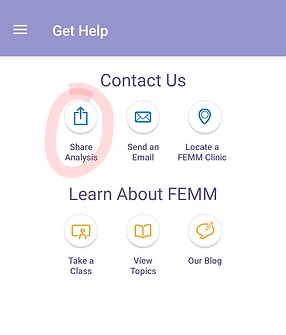
2- Select "Share Analysis"
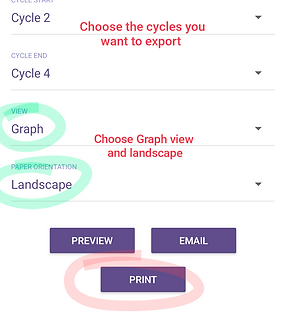
3- Confirm export settings and "Print"

4- Save as PDF to your device and label it with your name.

5- Upload the file(s) in the Digital chart review form and submit!
If you have issues exporting your chart from the app or need other assistance, email Juli at empoweryoufertility@gmail.com
bottom of page